✨ Aesthetic Symbols Copy and Paste — Complete Guide
Updated June 2026 · 10 min read
- What are aesthetic symbols?
- Why people use them (and why they actually work)
- Types of aesthetic symbols with examples
- Trending aesthetic symbols in
- How to copy and paste on iPhone, Android & PC
- Where to use them — Instagram, TikTok, Discord & more
- Ready-to-use aesthetic symbol combos
- Symbols by aesthetic style (Y2K, soft girl, dark academia)
- Common mistakes to avoid
- Pro tips for building your own aesthetic
💜 What Are Aesthetic Symbols, Exactly?
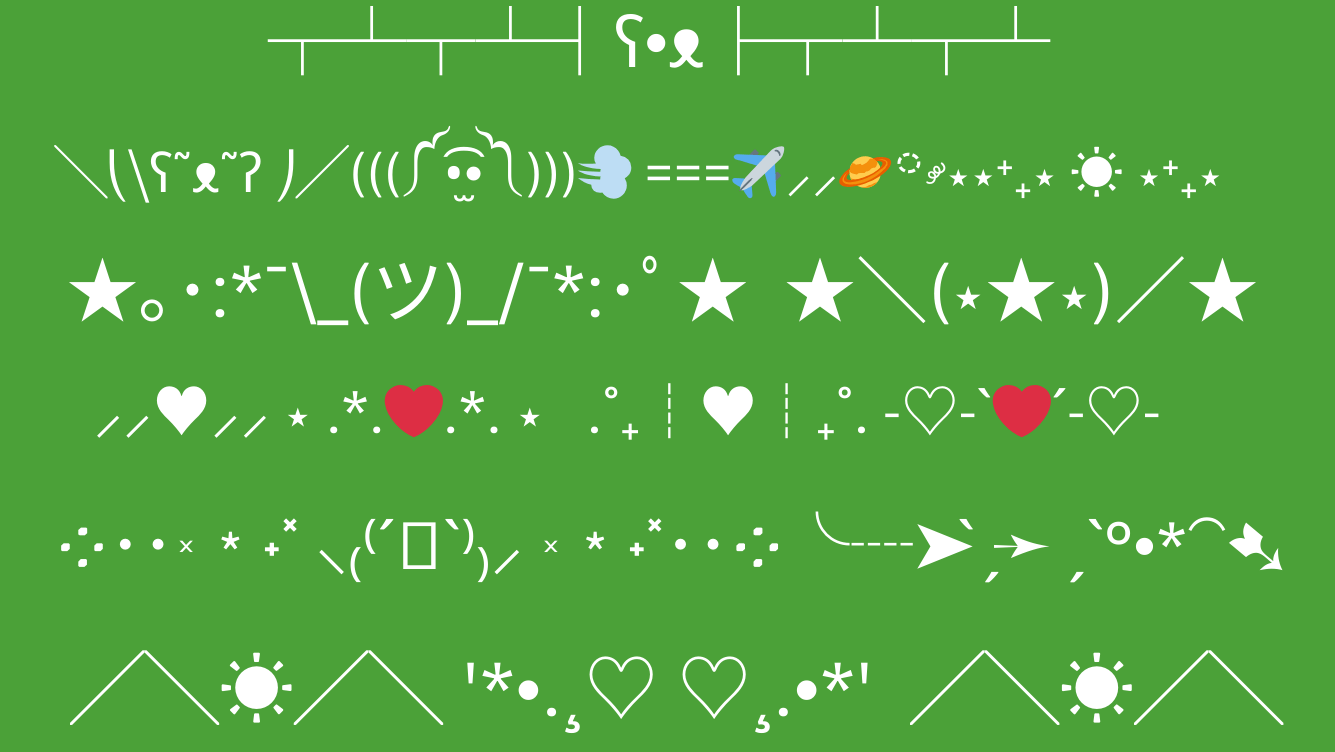
You've probably seen them all over Instagram bios and TikTok profiles — tiny stars, little hearts, swirly lines, or moon shapes sitting between someone's name and their link. Those are aesthetic symbols, and they're way more popular right now than most people realize.
Here's the thing though: they're not images. They're not special fonts. They're just regular text characters called Unicode symbols — the same underlying system that gives us the letter A or the number 3. Because they're text, they paste perfectly everywhere. No weird broken boxes, no "image not supported" messages. Just clean, working decoration.
The most popular ones — things like ✧, ♡, ⋆, and ☾ — come from Unicode's massive international library. Some originate from Japanese typography, some from mathematical notation, some from ancient scripts that just happen to look beautiful. Nobody planned them to be aesthetic — they just ended up that way.
🎯 Why Do People Actually Use Aesthetic Symbols?
Short answer: they make you look more put-together online without trying too hard. On platforms like Instagram and TikTok, your bio is your first impression. Most people have the same setup — a few lines of plain text, maybe some emojis. When someone lands on a profile that uses well-placed aesthetic symbols, it creates a visual rhythm. It looks intentional.
And here's something a lot of people miss: regular emojis (like 💜 or ⭐) look different on every device. An iPhone renders them differently than Android, which looks different than Windows. Aesthetic text symbols display identically everywhere because they're just text. That consistency matters if you care about how your profile actually looks.
- They work in usernames where emojis don't — Discord usernames, Roblox display names, and gaming platforms often block emojis but allow Unicode text symbols.
- They take up less space — a single ✧ does what an emoji does in half the characters.
- They signal creativity — it's a small effort that reads as big effort to people scrolling past.
- They're platform-safe — Instagram, TikTok, Twitter/X, Discord, Pinterest, Tumblr, WhatsApp — all support Unicode text.
🌸 Types of Aesthetic Symbols (With Examples)
There are hundreds of categories, but here are the ones people actually use most in bios and usernames:
⋆ Stars & Sparkles — the most popular category by far. They range from tiny to bold and work in basically any aesthetic.
♡ Hearts & Love Symbols — different from the heart emoji. Softer, cleaner, works in more places.
🌸 Flowers & Nature — perfect for soft girl, cottagecore, or kawaii aesthetics.
➤ Arrows & Pointers — great for organizing bios into sections or pointing to your link.
〰 Borders & Dividers — use these to separate sections of your bio cleanly.
☾ Moon & Sky — dreamy, dark academia, or celestial aesthetics.
꧁ Brackets & Frames — wrap your name to make it look fancy. Big in gaming and Discord.
🔥 Trending Aesthetic Symbols in
Trends move fast. These are the symbols blowing up on TikTok and Instagram right now:
| Symbol | Name | Why it's trending |
|---|---|---|
| 𓆩♡𓆪 | Egyptian heart wings | Coquette & soft girl — everywhere on TikTok bios |
| 𐙚 | Cute decorator | Tiny & subtle — pairs with anything, loved by K-pop fans |
| ⋆˚࿔ | Sparkle cluster | Y2K & dreamy — used before usernames constantly |
| ꒰ঌ ໒꒱ | Coquette ribbon | The coquette aesthetic symbol — pink, feminine, very 2026 |
| 𓍢ִ໋🌷͙֒ | Blooming tulip | Cottagecore & spring vibes — also huge on Pinterest |
| ᯓ★ | Bold star | Dark academia & minimalist bios — clean and punchy |
| ꩜ | Swirl vortex | Edgy & unique — popular in alternative and goth aesthetics |
| ʚ♡ɞ | Angel heart | Soft, angelic vibe — extremely popular in Discord bios |
📱 How to Copy and Paste on Any Device
The process takes about five seconds once you know it.
- Tap any symbol here — it copies automatically.
- Open Instagram, TikTok, or any app.
- Long-press the text field.
- Tap Paste. Done.
- Tap any symbol — copied instantly.
- Go to your app of choice.
- Long-press the input box.
- Tap Paste from the popup.
- Click any symbol — copies to clipboard.
- Click inside any text box.
- Press Ctrl+V (PC) or ⌘+V (Mac).
🌍 Where You Can Use Aesthetic Symbols
The short answer is almost everywhere. Here's a platform-by-platform breakdown:
| Platform | Where symbols work | Best symbols |
|---|---|---|
| Display name, bio, captions, comments, story highlights | ✧ ♡ ⋆ ☾ ✿ ⊹ | |
| TikTok | Display name, bio, captions | 𓆩♡𓆪 ⋆˚࿔ 𐙚 ꒰ঌ ໒꒱ |
| Discord | Username, nickname, bio, server & channel names | ʚ♡ɞ ꧁ ꧂ ✦ |
| Twitter / X | Display name, bio, tweets | ✦ ☾ ✧ ➤ ★ |
| Roblox | Display name (not @username) | ✿ ★ ♡ ꧁ ꧂ |
| Name, bio, board titles | ✿ 𓍢ִ໋🌷͙֒ ♡ ˚₊· | |
| Fortnite / Valorant | Display name (varies by platform) | ⚡ ✦ ★ ꧁ ꧂ |
| Notes / Journal | Anywhere you type | ✧ daily goals ✧ or ── ✦ ── |
✨ Ready-to-Use Aesthetic Symbol Combos
Pre-built combos you can copy directly into your bio. Use them as-is or as a starting point.
Soft & Dreamy
Celestial & Moon
Coquette & Ribbons
Full Instagram Bio Template
╰┈➤ [what you do]
˚₊‧⁺˖ [your vibe or interest]
└──⋆⋅☆⋅⋆──┘ [your link label]
🎨 Symbols By Aesthetic Style
Different aesthetics have different symbol vocabularies. Here's a quick cheat sheet:
🚫 Common Mistakes People Make
- Using too many at once. Five different symbol types crammed into one bio line turns something beautiful into something chaotic. Pick two or three and stick with them.
- Mixing incompatible aesthetics. A coquette ribbon next to a goth skull next to a kawaii face doesn't read as creative — it reads as confused. Match symbols to one vibe.
- Forgetting to test on mobile. Always check your bio on your actual phone after pasting. Some symbols render differently on older mobile fonts.
- Trying to use symbols in your Instagram @username. It won't work. Use your display name for decoration instead.
- Copying symbols from image sources. If you can't select it with your cursor, it won't paste. Every symbol on this site is real copyable Unicode text.
💡 Pro Tips for Building Your Own Aesthetic
✔️ Pick a signature symbol. Choose one you use consistently across platforms. People start associating it with you. ✧ username ✧ is a clean, recognizable pattern.
✔️ Use symmetry. Symbols that mirror each other look intentional. ꧁ ꧂ or ✧ — ✧ on either side of text looks polished.
✔️ Use dividers for long bios. A simple └──⋆⋅☆⋅⋆──┘ between sections makes everything easier to read.
✔️ Less is more on mobile. Instagram bios truncate on small screens. Put your best symbols in the first two lines.
✔️ Match the symbol to the content. Music lover? Use ♪ ♫. Cozy vibes? Use ˚₊· ☁️ ·₊˚. Symbols that relate to your content feel thoughtful.
Most Popular Aesthetic Symbol Categories on This Site
- Star Symbols — ✦ ✧ ⋆ ✩ ★ ⭐ ✰
- Heart Symbols — ♡ ❤️ 🩶 𖹭 ʚ♡ɞ ღ
- Flower Symbols — ✿ 🌸 🌷 ❀ ⚘
- Aesthetic Borders — └──⋆⋅☆⋅⋆──┘ ·͙*̩̩͙‧͙
- Arrow Symbols — ➤ ➳ ╰┈➤ ⇢
- Kaomoji — (。♥‿♥。) (´。• ᵕ •。`)